> ## Documentation Index
> Fetch the complete documentation index at: https://support.bolt.new/llms.txt
> Use this file to discover all available pages before exploring further.
# Database: Advanced settings
> View and manage advanced settings for your database in a Bolt project.
## View Advanced settings
To open the advanced settings for your project's database:
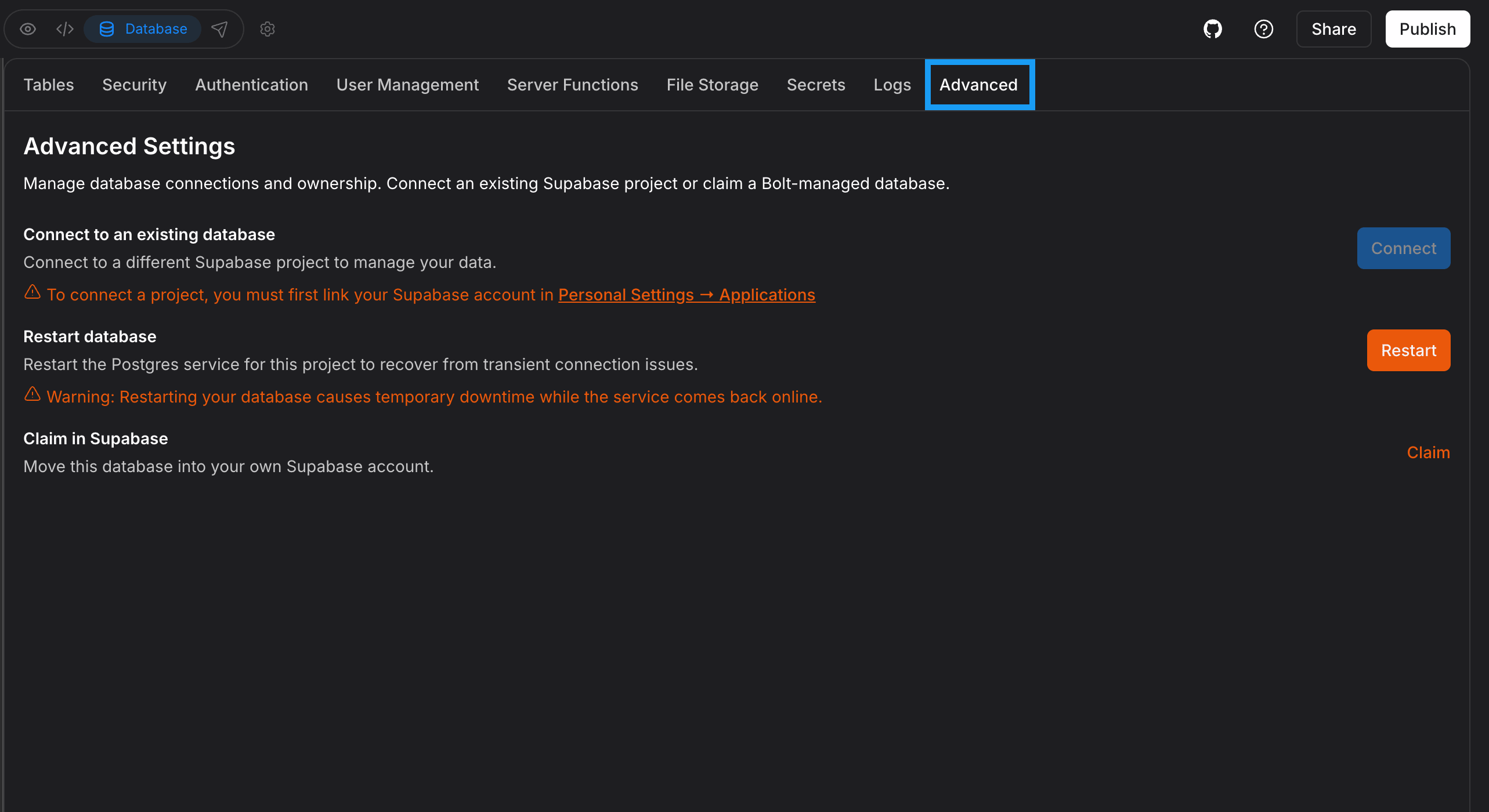 1. Log in to your Bolt project.
2. Click the **database icon** in the top center of your screen.
3. In your database settings, click the **Advanced** tab.
## Connect to a Supabase database
To connect an existing or new Supabase database instead of using a Bolt database, see [Connect a Supabase database](/integrations/supabase#connect-a-supabase-database) for instructions.
If your project already has a Bolt database, connecting a Supabase database will replace the connection, which may cause data loss. You may want to [claim](#claim-your-bolt-database-in-supabase) instead.
## Restart your database
If Bolt reports that your database is unresponsive, timing out, or having connection issues, you can restart the database to try to restore the connection.
To restart your database:
1. In your Bolt project, click the **database icon** in the top center of your screen.
2. Click **Advanced**.
3. Click **Restart**.
The database will be temporarily unavailable while it restarts. For most projects, this only takes a few minutes.
If your database is still unresponsive after restarting, [contact support](/troubleshooting/contact-support).
## Claim your Bolt Database in Supabase
Using Bolt Database is a straightforward solution for data storage that works well for most use cases. However, if you need external management tools, SQL editing, or advanced monitoring, you may prefer to use Supabase.
If you've started a Bolt database that you'd like to use with Supabase instead, see [Claiming your Bolt Database in Supabase](/integrations/supabase#claim-your-bolt-database-in-supabase) for instructions.
1. Log in to your Bolt project.
2. Click the **database icon** in the top center of your screen.
3. In your database settings, click the **Advanced** tab.
## Connect to a Supabase database
To connect an existing or new Supabase database instead of using a Bolt database, see [Connect a Supabase database](/integrations/supabase#connect-a-supabase-database) for instructions.
If your project already has a Bolt database, connecting a Supabase database will replace the connection, which may cause data loss. You may want to [claim](#claim-your-bolt-database-in-supabase) instead.
## Restart your database
If Bolt reports that your database is unresponsive, timing out, or having connection issues, you can restart the database to try to restore the connection.
To restart your database:
1. In your Bolt project, click the **database icon** in the top center of your screen.
2. Click **Advanced**.
3. Click **Restart**.
The database will be temporarily unavailable while it restarts. For most projects, this only takes a few minutes.
If your database is still unresponsive after restarting, [contact support](/troubleshooting/contact-support).
## Claim your Bolt Database in Supabase
Using Bolt Database is a straightforward solution for data storage that works well for most use cases. However, if you need external management tools, SQL editing, or advanced monitoring, you may prefer to use Supabase.
If you've started a Bolt database that you'd like to use with Supabase instead, see [Claiming your Bolt Database in Supabase](/integrations/supabase#claim-your-bolt-database-in-supabase) for instructions.