> ## Documentation Index
> Fetch the complete documentation index at: https://support.bolt.new/llms.txt
> Use this file to discover all available pages before exploring further.
# Database: File storage settings
> View and manage file storage settings for your database in a Bolt project.
Bolt includes built-in file storage that connects seamlessly with your database.
## View file storage
To view your file storage buckets, follow these steps:
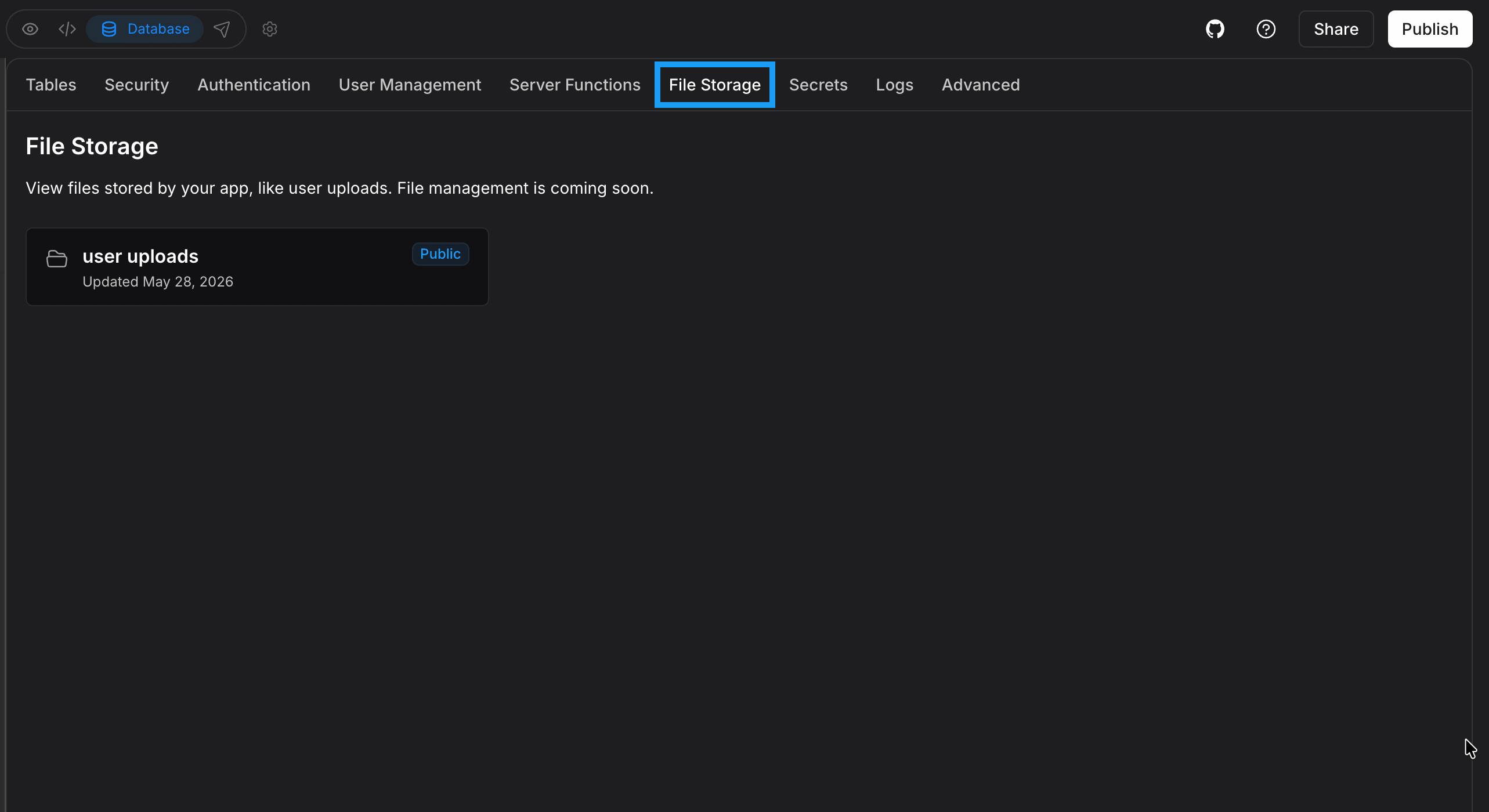 1. Log in to your Bolt project.
2. Click the **database icon** in the top center of your screen.
3. Click **File Storage** in the left menu.
At this time, Bolt lets you view the storage buckets you create through prompts, but it does not yet support viewing or managing individual files.
## Supported file types
Bolt supports the following file formats:
Images: `.jpg` `.jpeg` `.png` `.gif` `.webp` `.svg`
Text files: `.pdf` `.txt` `.doc` `.docx` `.py` `.ipynb` `.js` `.mjs` `.cjs` `.jsx` `.html` `.css` `.scss` `.sass` `.ts` `.tsx` `.java` `.cs` `.php` `.c` `.cc` `.cpp` `.cxx` `.h` `.hh` `.hpp` `.rs` `.swift` `.go` `.rb` `.kt` `.kts` `.scala` `.sh` `.bash` `.zsh` `.bat` `.csv` `.log` `.ini` `.cfg` `.config` `.json` `.yaml` `.yml` `.toml` `.lua` `.sql` `.md` `.tex` `.latex` `.asm` `.ino` `.s`
Bolt supports uploading files from many programming languages. While it builds applications using JavaScript technologies (see [Supported technologies](/concepts/supported-technologies)), you can still upload files written in other languages to help guide your project or ask Bolt to convert them into JavaScript.
1. Log in to your Bolt project.
2. Click the **database icon** in the top center of your screen.
3. Click **File Storage** in the left menu.
At this time, Bolt lets you view the storage buckets you create through prompts, but it does not yet support viewing or managing individual files.
## Supported file types
Bolt supports the following file formats:
Images: `.jpg` `.jpeg` `.png` `.gif` `.webp` `.svg`
Text files: `.pdf` `.txt` `.doc` `.docx` `.py` `.ipynb` `.js` `.mjs` `.cjs` `.jsx` `.html` `.css` `.scss` `.sass` `.ts` `.tsx` `.java` `.cs` `.php` `.c` `.cc` `.cpp` `.cxx` `.h` `.hh` `.hpp` `.rs` `.swift` `.go` `.rb` `.kt` `.kts` `.scala` `.sh` `.bash` `.zsh` `.bat` `.csv` `.log` `.ini` `.cfg` `.config` `.json` `.yaml` `.yml` `.toml` `.lua` `.sql` `.md` `.tex` `.latex` `.asm` `.ino` `.s`
Bolt supports uploading files from many programming languages. While it builds applications using JavaScript technologies (see [Supported technologies](/concepts/supported-technologies)), you can still upload files written in other languages to help guide your project or ask Bolt to convert them into JavaScript.