> ## Documentation Index
> Fetch the complete documentation index at: https://support.bolt.new/llms.txt
> Use this file to discover all available pages before exploring further.
# Database: Secrets settings
> View and manage your secrets settings for your database in a Bolt project.
Secrets are used by your server functions (sometimes called edge functions) to safely access sensitive information, like API keys or database passwords, without exposing them to users. When a server function runs, it can securely read the secret and complete its task, such as making a request to an external service. This helps keep your app secure and ensures that private information never ends up in your users’ browsers or devices.
Bolt prompts you automatically when you need to add a secret. For example, if you send a message like "Integrate OpenAI," the agent will complete the coding and then display a message asking you to add your secret, along with a link to the Secrets tab.
## View Secrets settings
To open the Secrets settings for your project's database, follow these steps:
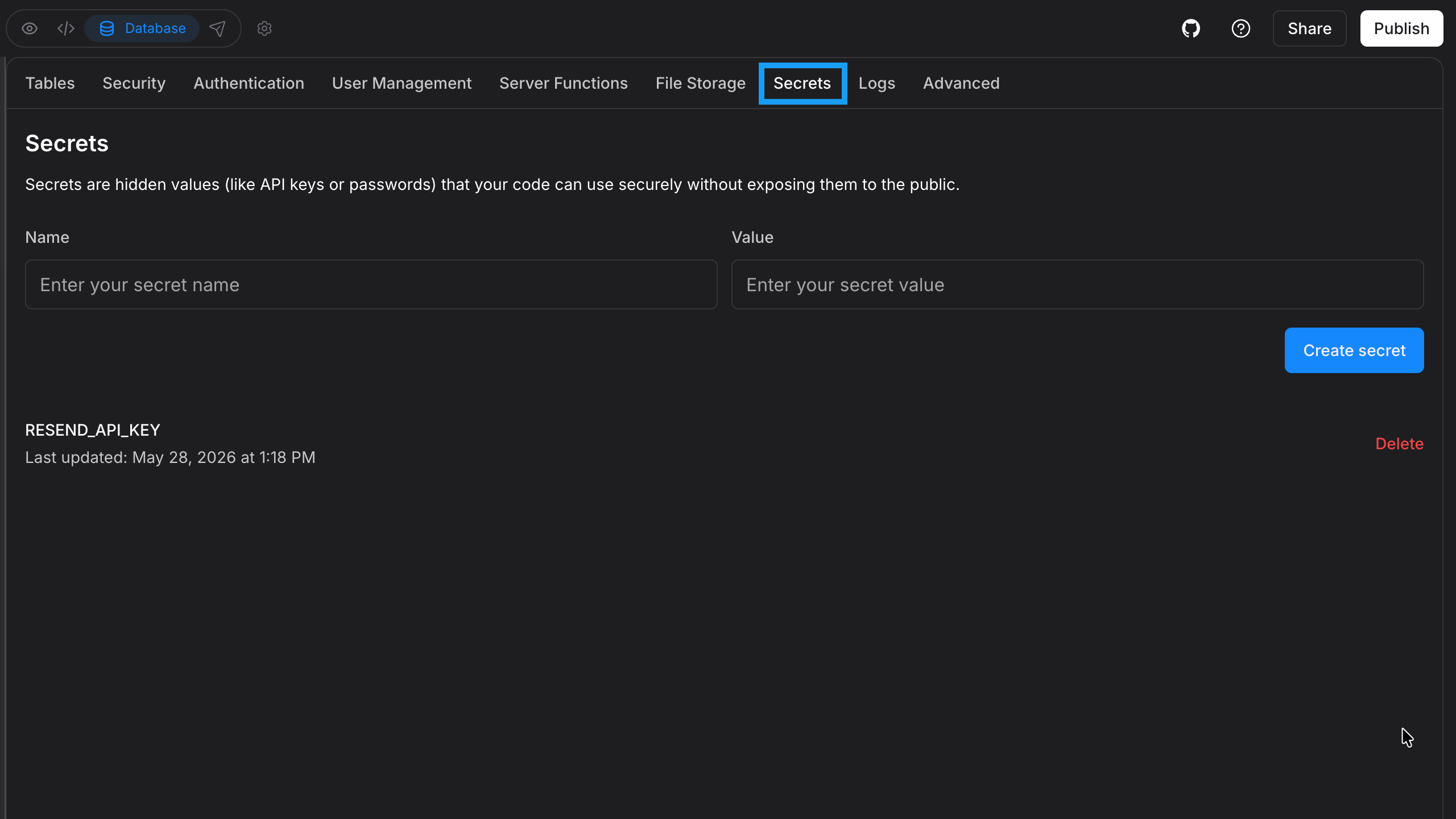 1. Log in to your Bolt project.
2. Click the **database icon** in the top center of your screen.
3. Click **Secrets**.
## Manually create secrets
You can manually create secrets by following the steps below:
1. Log in to your Bolt project.
2. Click the **database icon** in the top center of your screen.
3. Click **Secrets**.
4. In **Name**, add a name that identifies what the secret is used for.
5. In **Value**, enter the secret key or password. For security, the secret value is hidden as you type.
6. Click **Create secret**.
Alternatively, you can delete secrets by clicking **Delete** in a secret’s row.
## Tips for improved security
* Rotate your keys regularly to reduce risk.
* Remove keys you no longer use.
* Never store secrets in plain text in your code.
1. Log in to your Bolt project.
2. Click the **database icon** in the top center of your screen.
3. Click **Secrets**.
## Manually create secrets
You can manually create secrets by following the steps below:
1. Log in to your Bolt project.
2. Click the **database icon** in the top center of your screen.
3. Click **Secrets**.
4. In **Name**, add a name that identifies what the secret is used for.
5. In **Value**, enter the secret key or password. For security, the secret value is hidden as you type.
6. Click **Create secret**.
Alternatively, you can delete secrets by clicking **Delete** in a secret’s row.
## Tips for improved security
* Rotate your keys regularly to reduce risk.
* Remove keys you no longer use.
* Never store secrets in plain text in your code.