

Publish your project with Bolt hosting
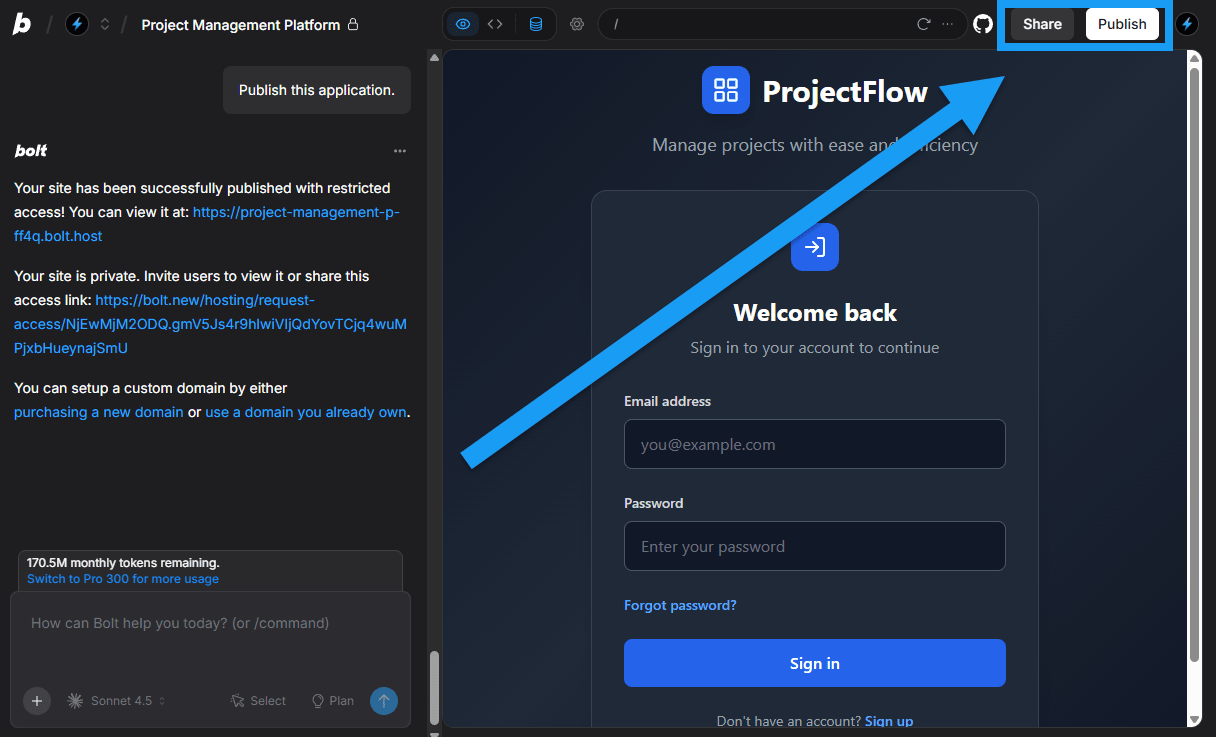
When you publish a project, Bolt hosts it at a freebolt.host address that you can share right away. To put your site online, click Publish in the top-right corner. To give people access to your project instead, click Share.
Analytics
If you publish on a paid plan, you can view analytics for your site, such as unique visitors, pageviews, and top traffic sources. Learn more about Hosting analytics.To learn more, see Bolt Cloud Hosting.
Domains
To use your own web address, such asexample.com, you can buy a domain in Bolt or connect one that you already own. Custom domains require a paid plan. You manage your domains from your Bolt workspace.
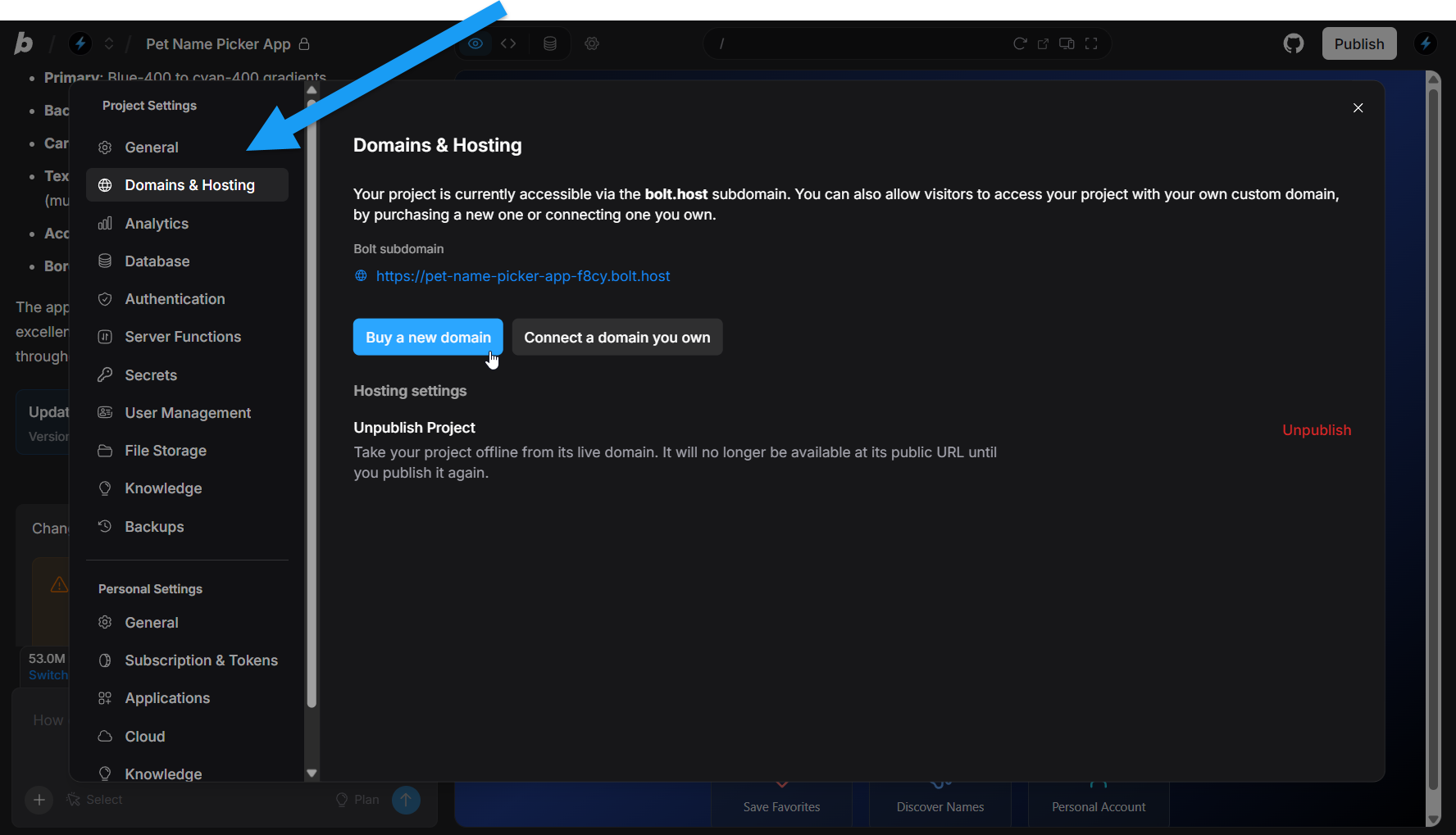
To learn more, see Bolt Cloud Domains.
Bolt Database
Bolt creates a database when your project needs one, such as a trivia app that stores questions and answers. There’s no limit to how many databases you can create and nothing you need to set up yourself. You can view other database limits in your Cloud settings.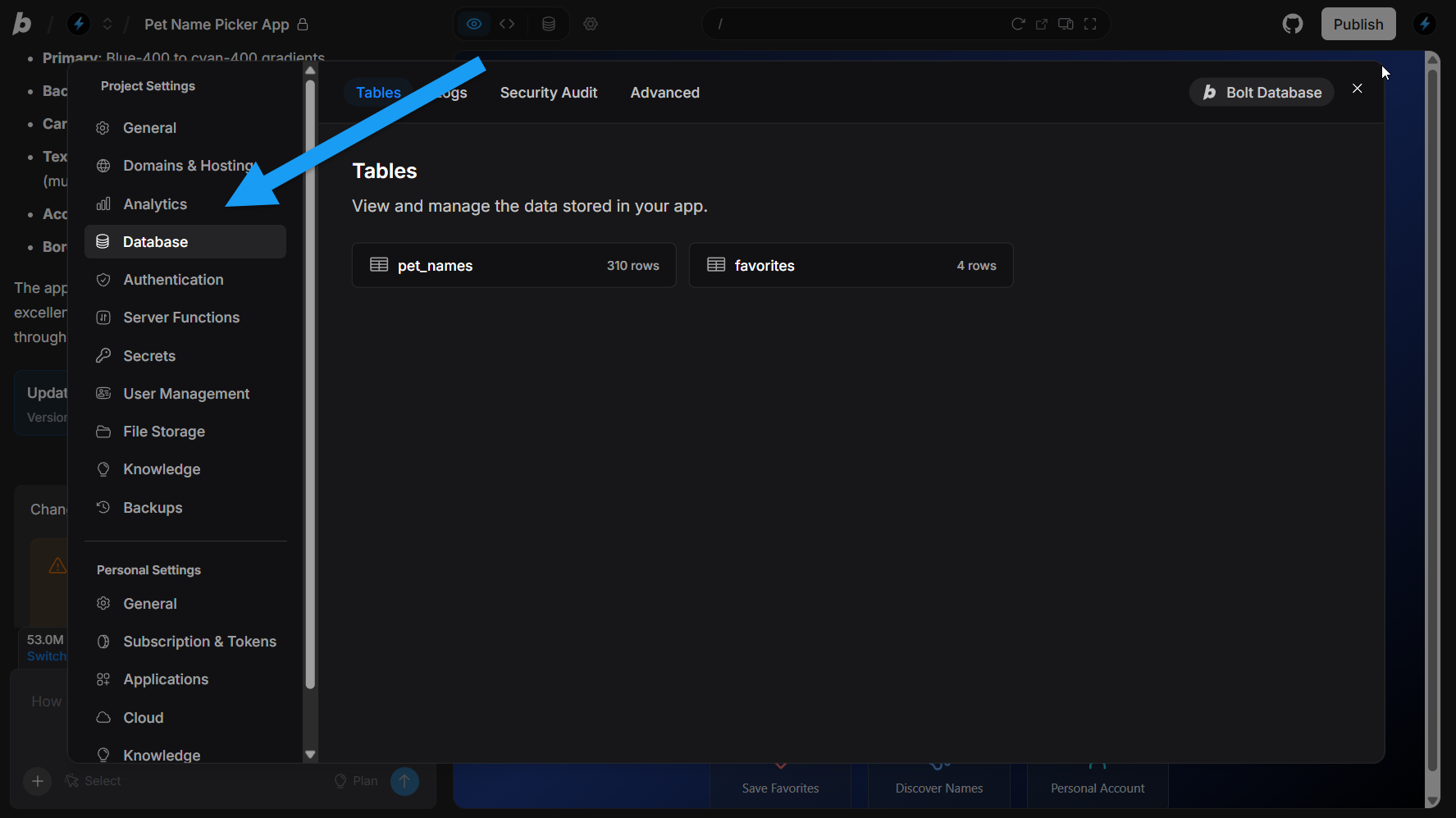
To learn more, see Bolt Cloud Database.
Authentication and user accounts
Ask Bolt to add sign-up and log-in to your app. You can then set up email confirmation, password reset, and Google sign-in in your database’s Authentication settings.File storage
File storage gives you a place to store and view files, like images, documents, and user uploads, with both public and private storage. Learn more about File storage.Server functions
Server functions, also called edge functions, let you add your own backend code to your project. They handle work that shouldn’t run in a user’s browser, such as checking permissions or processing payments. Learn more about Server functions.Payments
To take one-time payments or run subscriptions in your app, connect Stripe. This works for one-time purchases, subscriptions, or other paid services. You don’t have to store or process any payment information yourself because Bolt Cloud and Stripe handle security and compliance for you.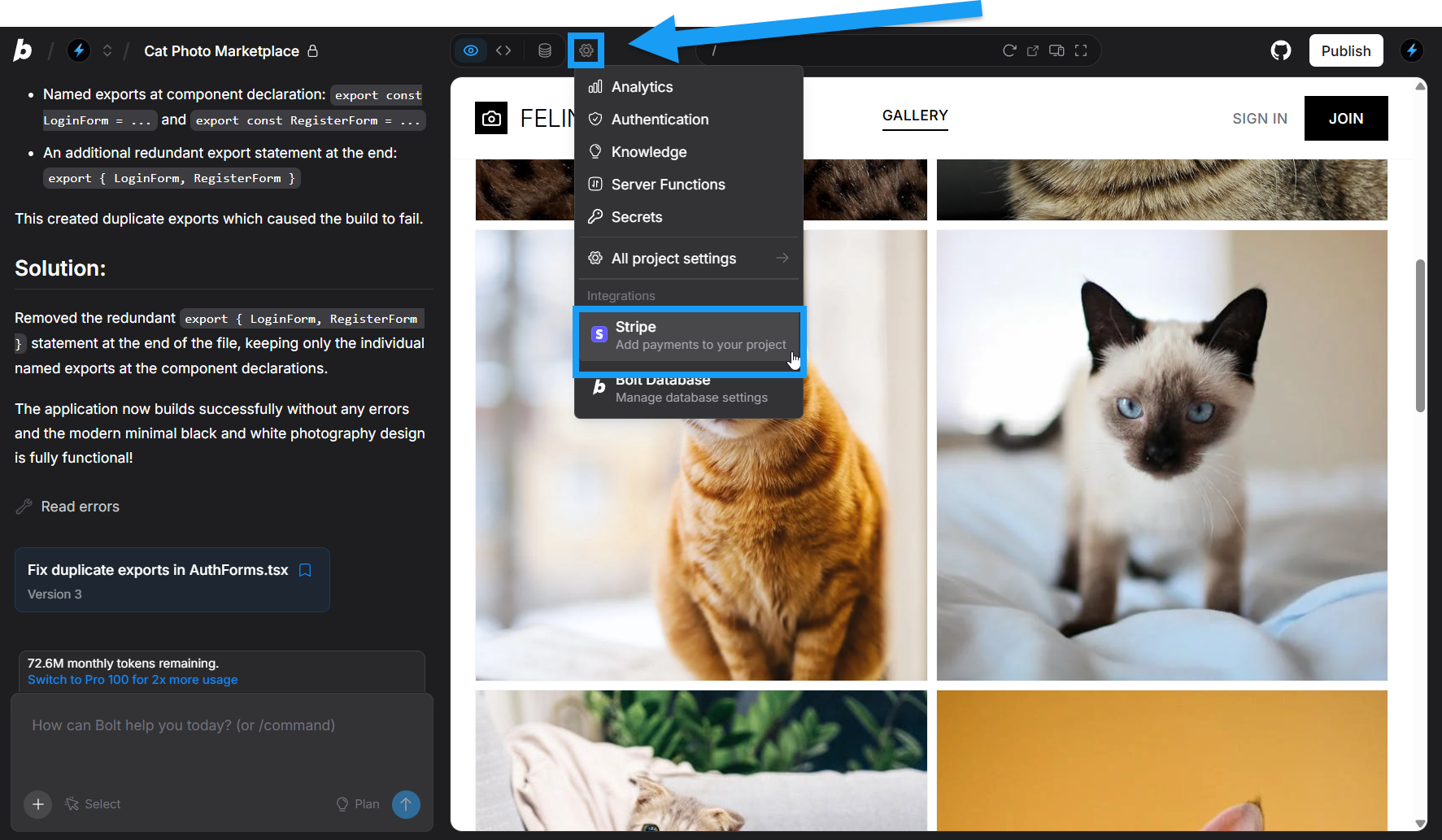
Learn more about Stripe for payments.