

- Project security audit: Reviews your whole project, including your code and database, fixes what it can, and flags anything you need to handle. Neither the audit nor its fixes use your tokens. Available on paid plans.
- Database security check: Flags issues with your database settings so you can ask Bolt to fix them. Available on all plans.
Run a security audit
A security audit includes a full review of your entire project. To run a security audit: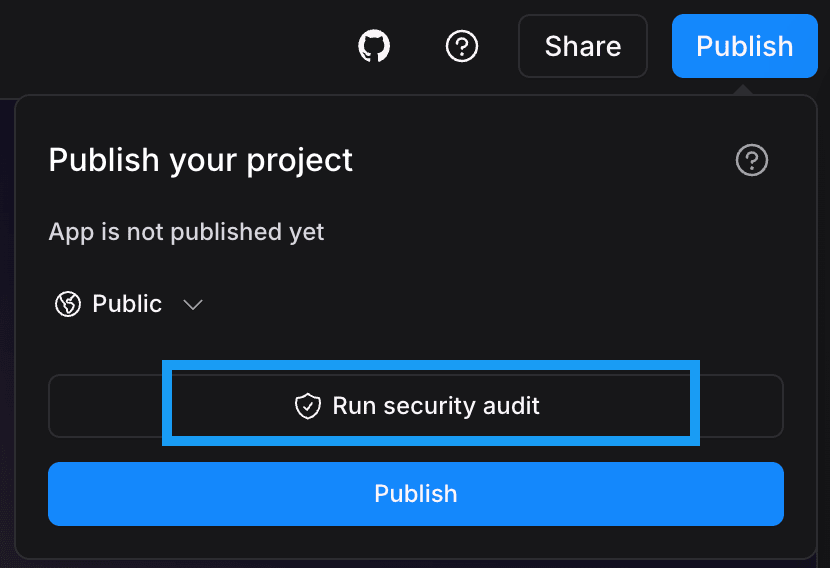
- In the top-right corner of your screen, click Publish.
- Click Run security audit.
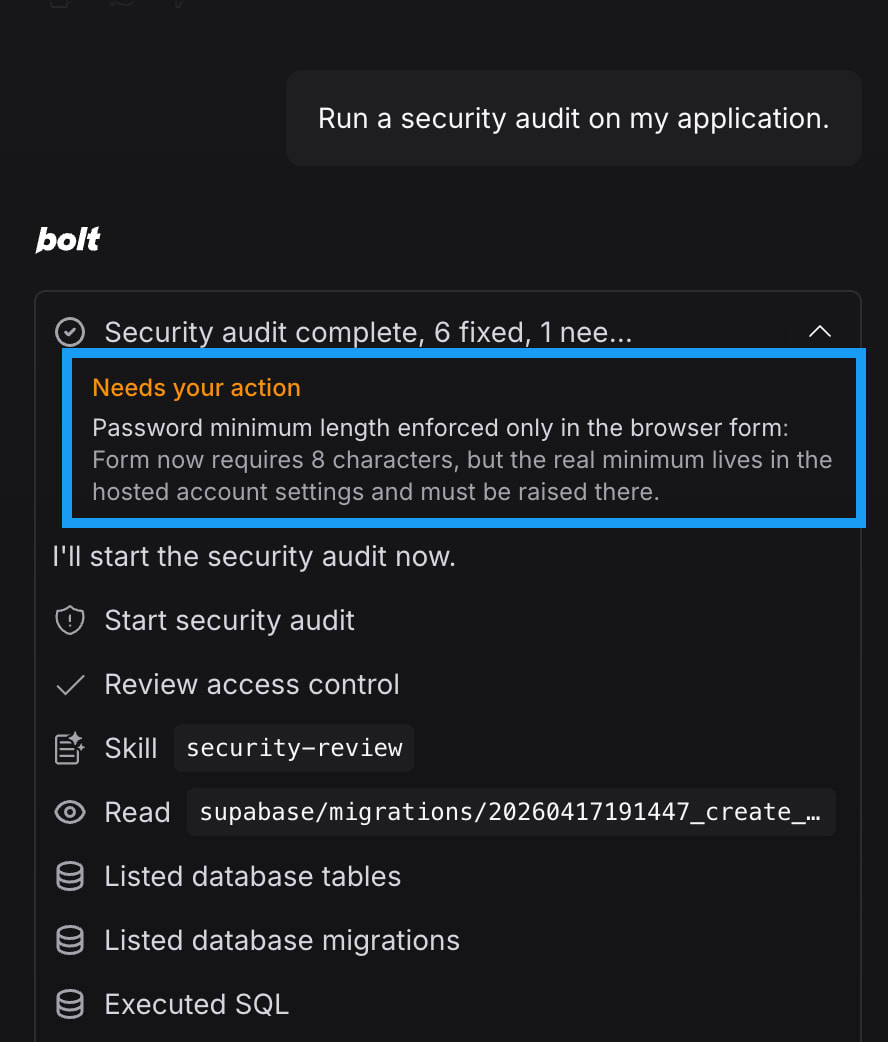
- Wait while Bolt reviews your project. You can follow the progress in the chat.
- To see what Bolt fixed, expand the summary in the chat.
What the security audit checks
Bolt checks for the following problems. It skips anything that doesn’t apply to your project.Daily limit
You can run up to 30 security audits per day. Bolt tells you when you reach the limit, which resets each day at midnight UTC. If you need to run more audits per day than the limit allows, contact support.Review database security issues
Bolt can also perform a lightweight review of your database that’s independent of the full security audit. This review checks your database rules and permissions and flags anything that could make your data insecure, like a permission rule that allows anyone to read a table. You can view the results on the Security tab of your database settings. For instructions, see Database security settings.The full security audit includes checks on your database. If you already ran an audit, you don’t need this separate review of your database.