

If you have access to Bolt Forge, it also appears in this picker alongside Standard and Max. Forge lets you build using open-source AI models, with additional usage included. If you don’t have access to Forge, it appears locked. To learn more, see Bolt Forge.
Agents
Choose the agent that’s best suited to what you’re building.Only Standard is available on the free plan. To use Max, upgrade to a paid plan.
Standard
Balanced for everyday building. Standard is fast and token-efficient, which makes it a good default for most development work. It performs best when the task is well defined. Best for:- Small or medium-scale applications
- UI updates
- General development
- Clear, well-defined tasks
Max
Maximum reasoning for complex tasks. Max thinks more about each step, which makes a difference when the task involves working through large codebases with complex dependencies or solving problems without an obvious solution. Max is also more responsive to detailed prompts: if you describe a specific problem and ask it to think carefully, it uses deeper reasoning in that area. For tasks where Standard already performs well, Max may not show a noticeable difference. Best for:- Large-scale applications
- Complex or interconnected features
- Refactoring existing code
- Open-ended tasks
Switch agents
You can switch agents in two places: from the Bolt homepage when starting a build, or inside a project while working. For each project, Bolt remembers your selection and automatically uses the same agent the next time you open the project. If you want all new projects to use a specific agent, you can set a default agent in your account settings. Bolt then automatically selects that agent when you start a new project.Switch agents on the homepage
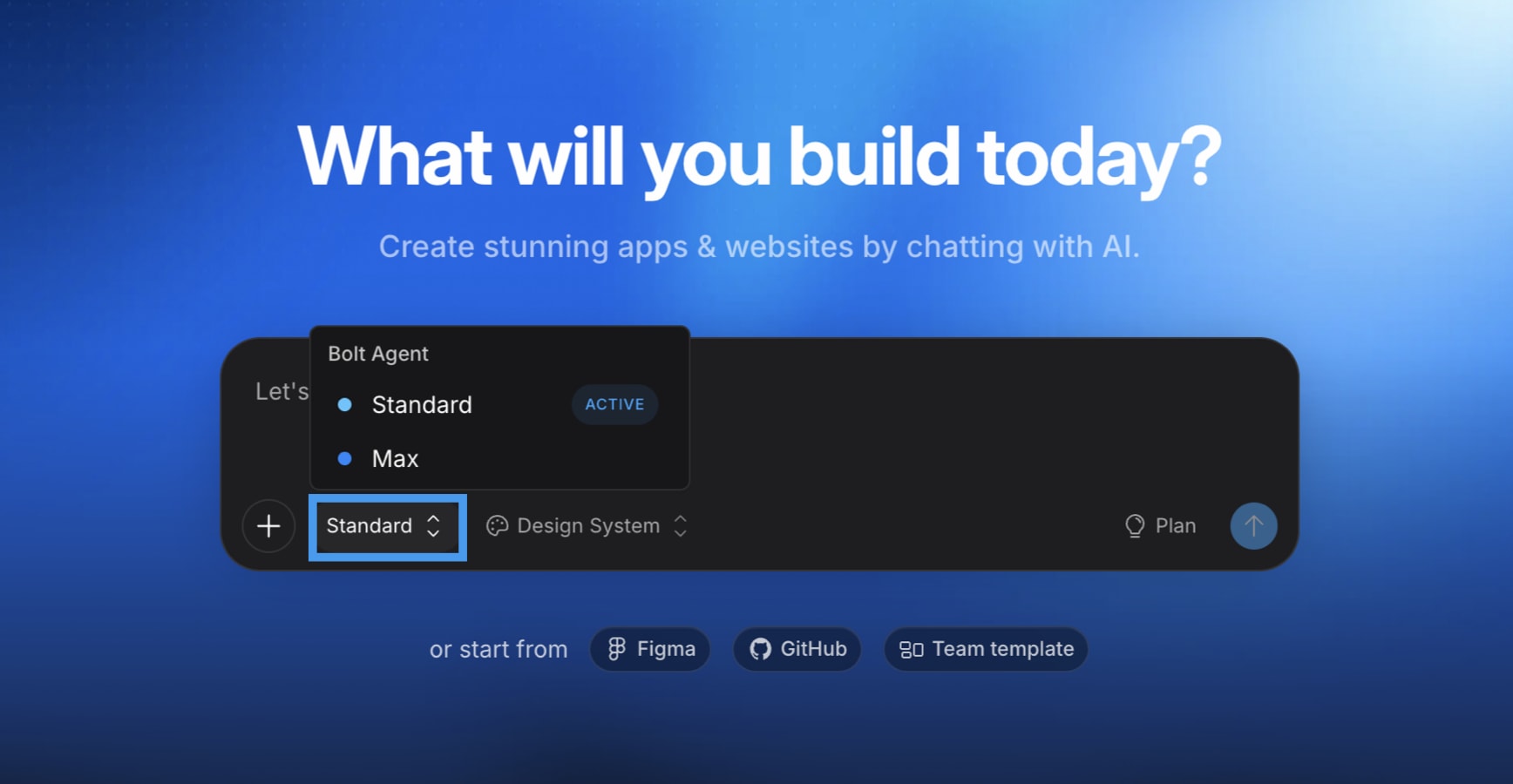
Switch agents in a project
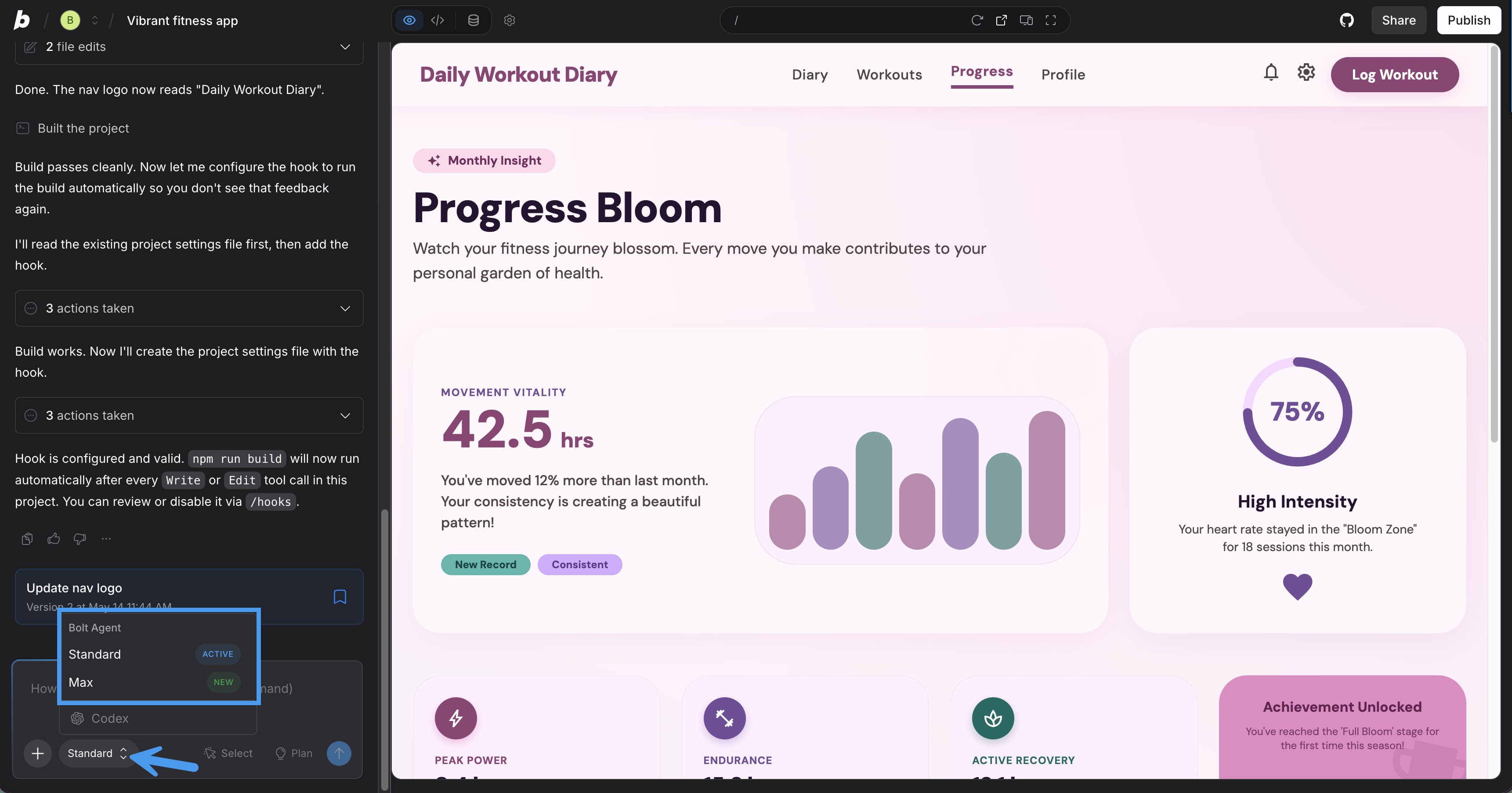
- In the bottom-left corner of the chatbox, click the current agent name.
- Select the agent you want to use.